
Satellite receiver General Satellite GS B527 – what kind of set-top box, what is its feature? GS B527 is a Tricolor TV satellite TV receiver supporting Full HD resolution. This is one of the most affordable set-top boxes, which, in addition to broadcasting broadcasting to a TV, is capable of delivering a picture to mobile devices.
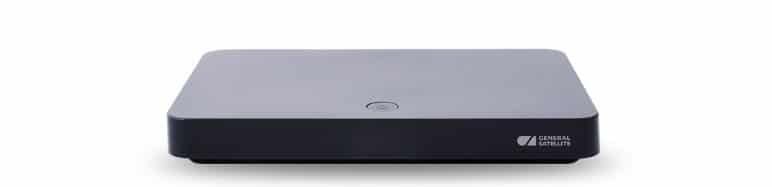 The set-top box works both from the satellite and via the Internet. You can also watch 4K broadcasts from it, but the signal will be automatically converted to Full HD. Other features include the ability to watch 2 devices at once through this receiver. Also, the receiver allows you to record programs, rewind and postpone them. Applications are available, as well as additional services, such as “Tricolor Mail”, “Multiscreen”.
- Specifications 4K receiver GS B527 Tricolor, appearance
- Ports
- Options General Satellite GS b527
- Connection and configuration
- Firmware and software update for General Satellite GS b527 receiver
- Via USB flash drive
- Through the receiver itself
- Cooling
- Problems and solutions
- Pros and cons of the receiver Tricolor GS b527
Specifications 4K receiver GS B527 Tricolor, appearance
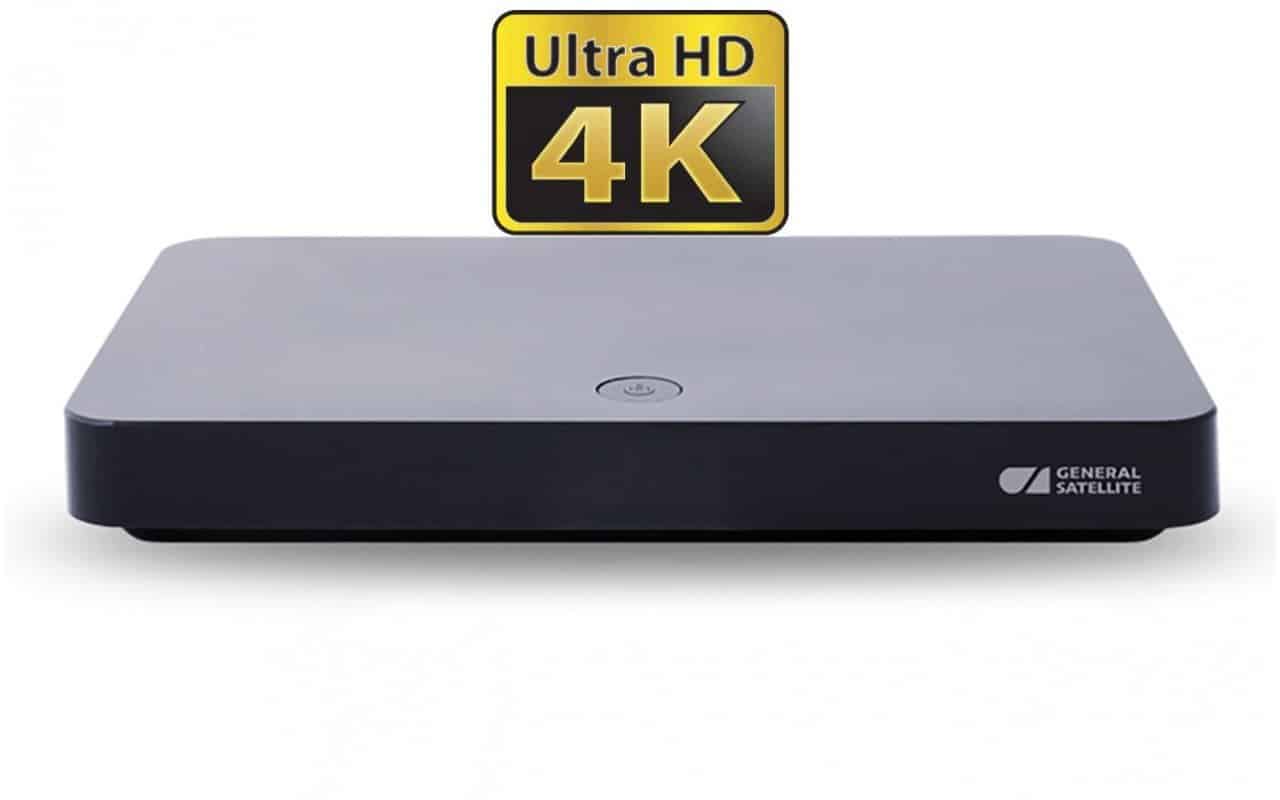 The Tricolor 527 receiver is small in size. The device is made of black durable plastic: glossy on top and matte on the sides. On the upper glossy part there is an ON / OFF button. The company logo is located on the front. There is only one port on the right side – a slot for a mini-SIM smart card. All other ports are located on the back. The lower part is rubberized and has small legs. GS B527 has the following characteristics:
| A source | Satellite, Internet |
| Console type | Without connecting to the user |
| Maximum image quality | 3840×2160 (4K) |
| Interface | USB, HDMI |
| Number of TV and radio channels | Over 1000 |
| Sort TV and radio channels | There is |
| Ability to add to “Favorites” | Yes, 1 group |
| Search TV channels | Automatic from “Tricolor” and manual search |
| Teletext availability | Present, DVB; OSD & VBI |
| Availability of subtitles | Present, DVB; TXT |
| Timers | Yes, more than 30 |
| Visual interface | Yes, full color |
| Supported languages | Russian English |
| Electronic guide | ISO 8859-5 standard |
| additional services | “Tricolor TV”: “Cinema” and “Tele-mail” |
| Wi-Fi adapter | No |
| Storage device | No |
| Drive (included) | No |
| USB ports | 1x version 2.0, 1x version 3.0 |
| Antenna tuning | Manual tuning of the LNB frequency |
| DiSEqC support | Yes, version 1.0 |
| IR sensor connection | Jack 3.5 mm TRRS |
| Ethernet port | 100BASE-T |
| Control | Physical button “ON / OFF”, infrared port |
| Indicators | Standby / Run LED |
| Card collector | Yes, smart card slot |
| LNB signal output | No |
| HDMI | Yes, versions 1.4 and 2.2 |
| Analog streams | Yes, AV and Jack 3.5 mm |
| Digital audio output | No |
| CommonInterface port | No |
| Number of tuners | 2 |
| Frequency range | 950-2150 MHz |
| Screen format | 4: 3 and 16: 9 |
| Video Resolution | Up to 3840×2160 |
| Audio modes | Mono and Stereo |
| TV standard | Euro, PAL |
| Power Supply | 3A, 12V |
| Power | Less than 36W |
| Case dimensions | 220 x 130 x 28 mm |
| Life time | 12 months |
Ports
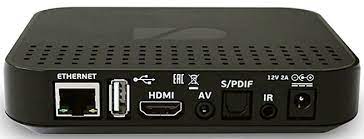
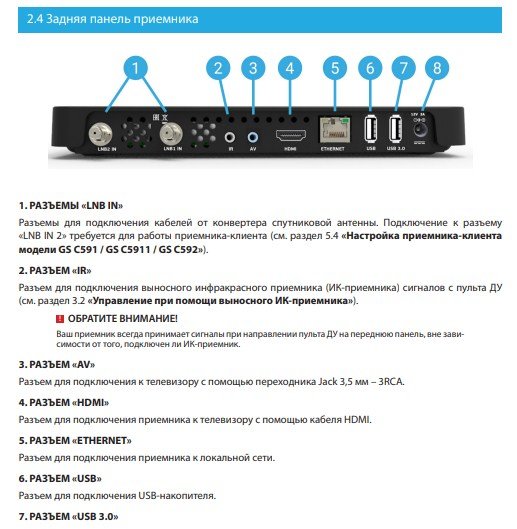 All major ports on the GS B527 Tricolor are located on the rear panel. There are 8 of them:
- LNB IN – antenna connection port.
- IR – connector for connecting an external device for control from an IR remote control.
- AV – connector for analog connection to older TVs.
- HDMI is a connector for digital connection to TVs and other devices.
- Ethernet port – a wired connection to the Internet.
- USB 2.0 – port for USB storage
- USB 3.0 – A port for faster, better USB storage
- Power connector – 3A and 12V connectors for connecting the receiver to the network.
 Digital satellite two-tuner receiver model GS b527 – 4k receiver overview: https://youtu.be/xCKlRzkZNEE
Options General Satellite GS b527
Buying a Tricolor GS B527 receiver, the user receives the following set:
- Receiver “Tricolor” GS B527.
- IR remote control to control the device.
- Power adapter for 2A and 12V.
- Instructions, user agreements, warranty certificates and certificates of conformity, in the form of a package document.
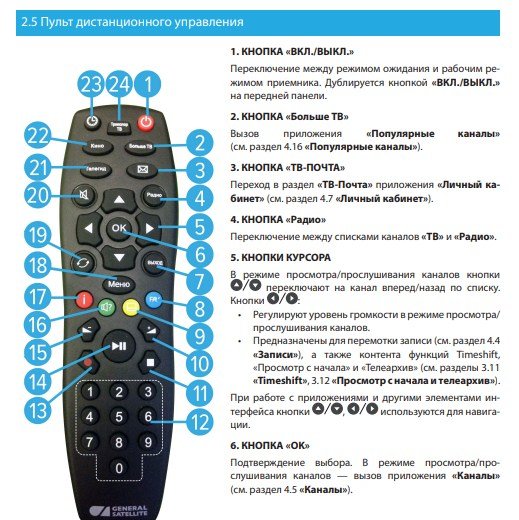 Additional cables, adapters and other equipment are not provided with this model.
Connection and configuration
In order to watch TV without restrictions, the receiver needs to be installed and configured. The equipment is installed as follows:
- Unpack all equipment and visually check for defects
- Connect the set-top box to the network.
- Depending on the type of TV broadcast (digital or analog), connect the device to the monitor.
- An internet connection is required for full operation. This is done directly from the router via an Ethernet cable.
After installation, you need to make the settings.
- After the first start-up, the receiver will ask the user to specify his time zone and “Operating mode”. The modes are as follows: satellite, Internet, or all at once. For better and more stable broadcasting, it is better to choose the last item.
- On the next page, you will need to select the type of Internet connection. If the wire was connected correctly, then the connection option will be immediately displayed on the console. But this point can be skipped.
- Immediately after connecting to the Internet, the receiver will ask the subscriber to enter his personal account “Tricolor TV” or register a new one in the system. This item can also be skipped.
- Now you need to tune the antenna and broadcast. This is done semi-automatically – the system will select several options, and then the user himself will choose the one whose indicators are more stable (the “Strength” and “Quality” of the signal will be displayed on the screen under each option).
- After the performed manipulations, the receiver will start searching for the region and continue tuning in automatic mode.
In total, the operations take no more than 15 minutes if you follow the instructions. Complete instructions for connecting and configuring to the receiver of the general satellite GS b527 model: GS b527
User Manual
Insert to the User Manual
Firmware and software update for General Satellite GS b527 receiver
In order to ensure more stable operation, as well as in order to fix technical errors, General Satellite is constantly releasing updates to its system. These updates are also necessary for faster operation of the device, since older software versions work much slower. There are several ways to install new firmware for the system.
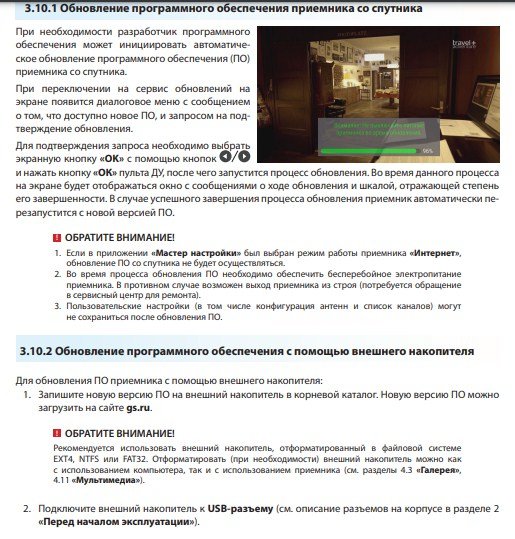 Updating the receiver software from the satellite [/ caption]
Via USB flash drive
To update the receiver manually, you need to go to the developer’s official website and select the desired model (for convenience, the link is already given with it): https://www.gs.ru/support/documentation-and-software/gs-b527 Installation proceeds as follows :
- The client should download the offered archive.
- Then, using any of the archiver programs, unpack the archive onto a USB flash drive. There should be no other information on the drive.
- Further, a flash drive is connected to the turned on receiver, and the device itself is restarted.
- After restarting, the device will start updating, notifying the user in advance.
Through the receiver itself
The firmware for the device itself comes a little later than on the official website. Therefore, this method is not always convenient (when it comes to fixing errors by updating)
- First, through the settings menu, you need to go to “Update”, then – “Update software”.
- Next, confirm the update and wait for the device to do everything by itself.
Cooling
Cooling on this model is as simple as possible. There are no internal coolers or other mechanisms. On the other hand, the side panels of the case have a mesh surface so that air can freely enter the device, thereby cooling it down. Also, thanks to the rubber feet, the receiver is raised above the surface, which also provides better heat exchange with air.
Problems and solutions
The most common problem experienced by users is slowdown and small pauses in broadcasting. Also, it can be combined with very long loading times and channel switching. There are two solutions:
- Upgrade the device to a new software version . Old versions very quickly fall into disrepair, since every day the load on the system is growing, and the previous version of the firmware cannot quickly process all the information.
- Clean the device . If the device slows down and sometimes turns off, this could be a sign of overheating. In this case, the case should be cleaned from dust. You cannot blow into the grooves, as liquid can get onto the board. It is enough to walk with a rag and cotton swabs.
If the device stops turning on, then this is a signal from a burnt capacitor. You cannot repair the set-top box yourself. Contact the service.
Also, a short circuit may occur during operation. This model is equipped with sensors that can detect this. In this case, a notification will be displayed to the user. Repairs may not be necessary. Sometimes it is enough to replace the antenna wire. If this does not help, contact the service.
Pros and cons of the receiver Tricolor GS b527
Let’s start with the cons:
- Cheap build quality and some elements.
- Small delivery set.
- A lot of advertising.
And now the pros:
- Saving. This model belongs to the middle price segment.
- The ability to watch TV both via the Internet and via satellite.
- Frequent updates.


